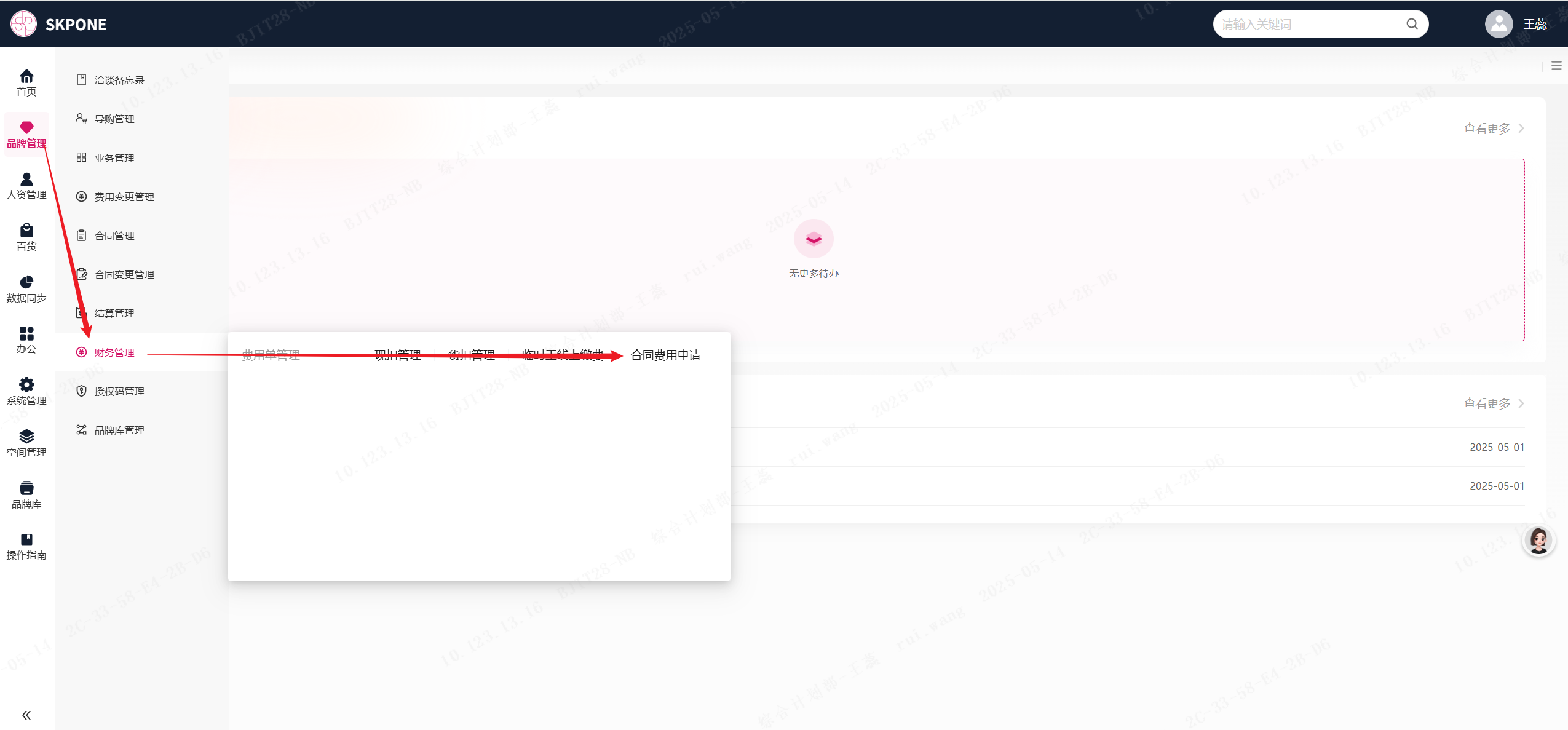
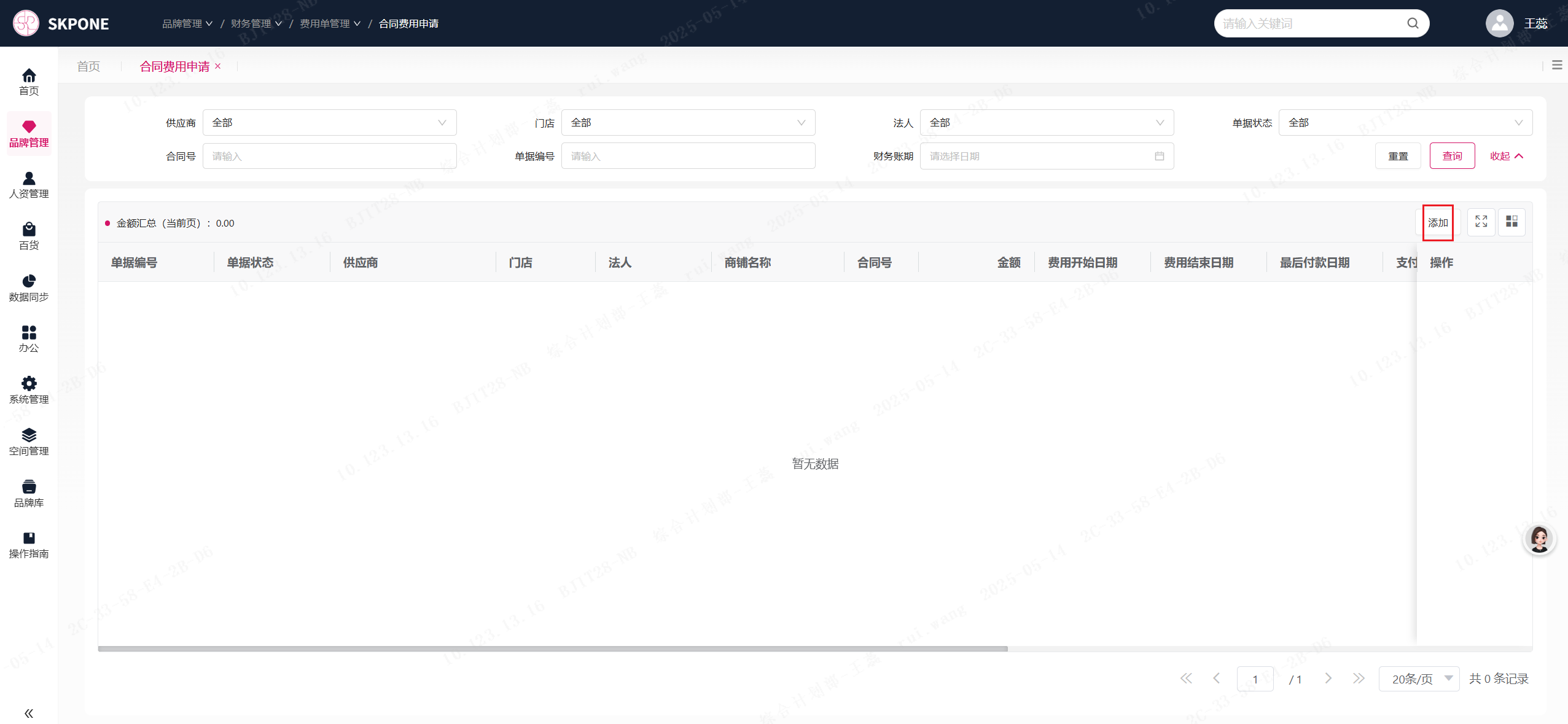
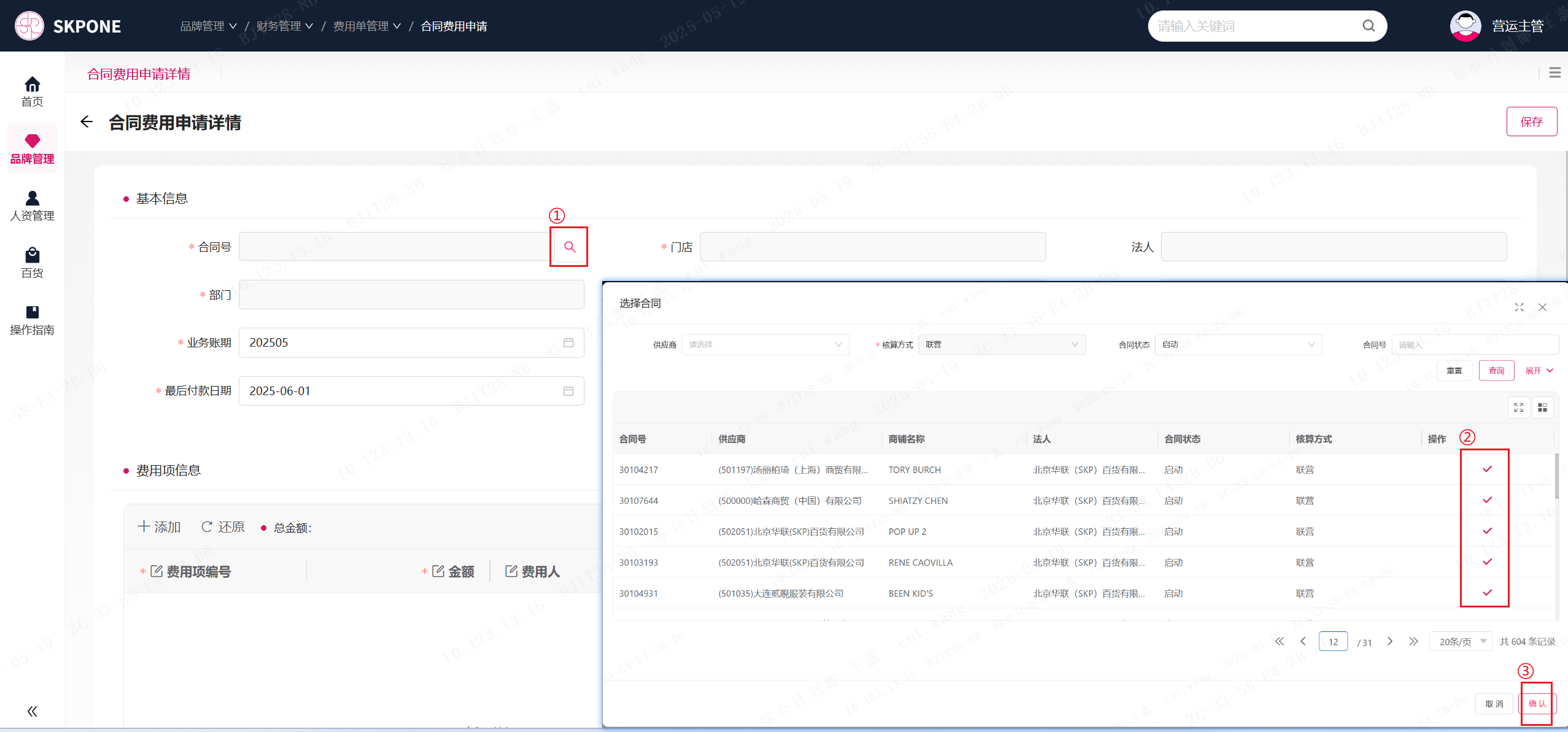
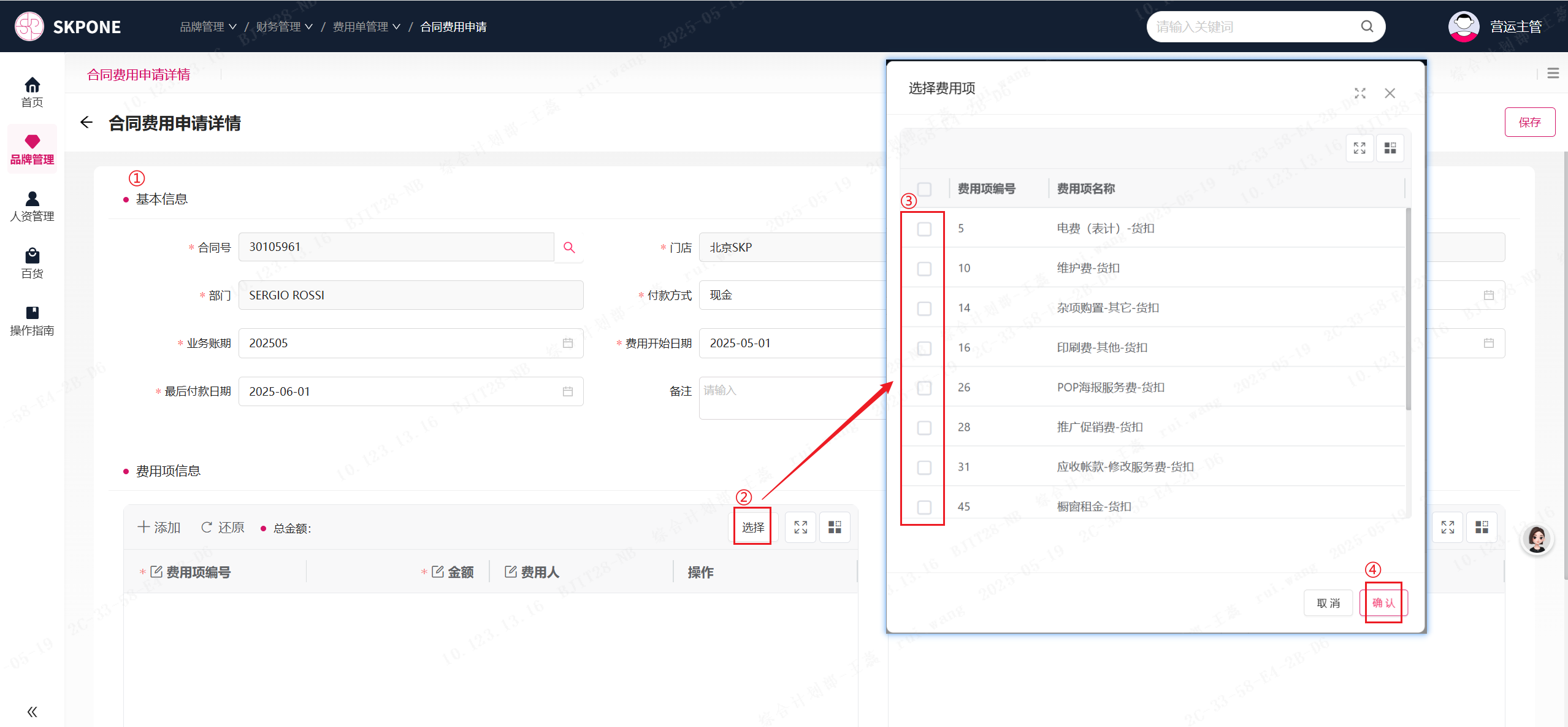
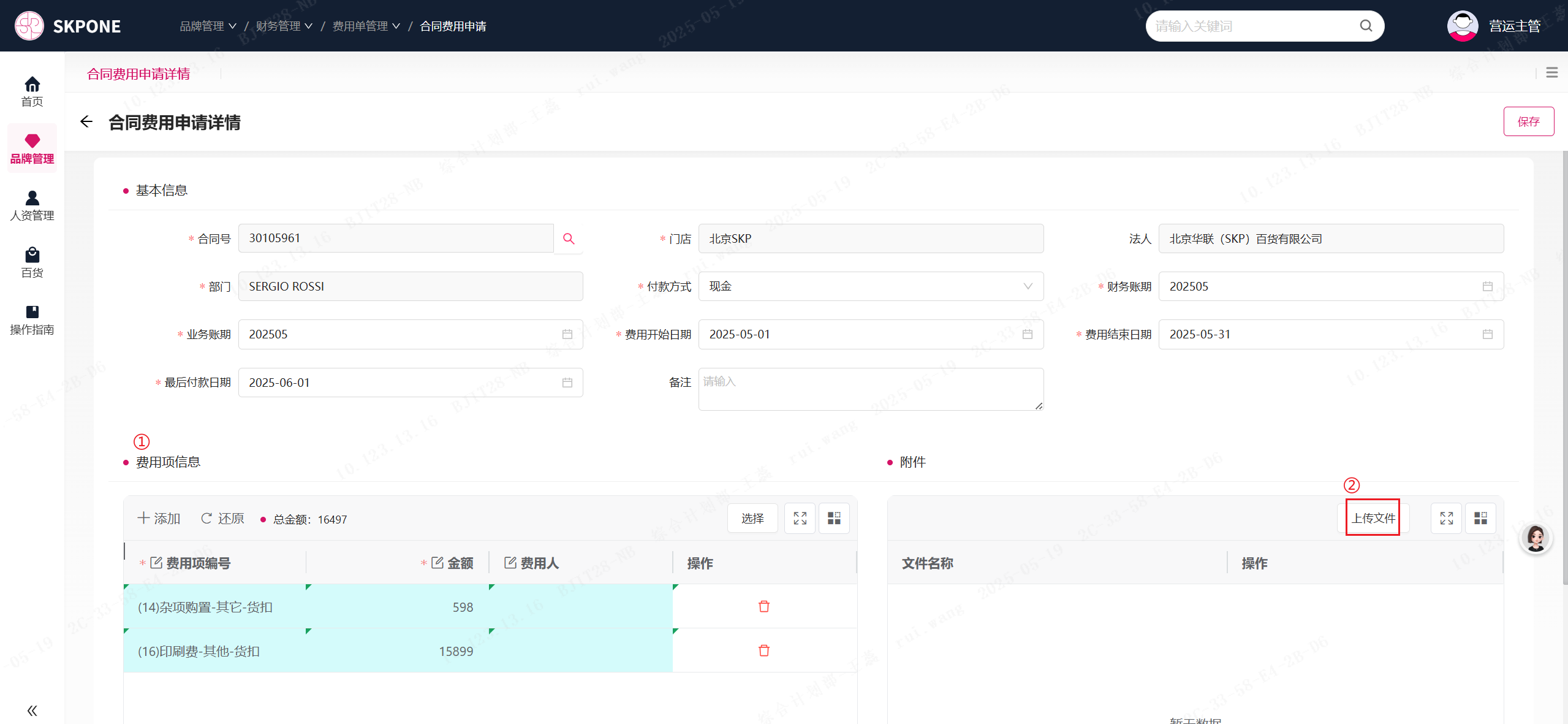
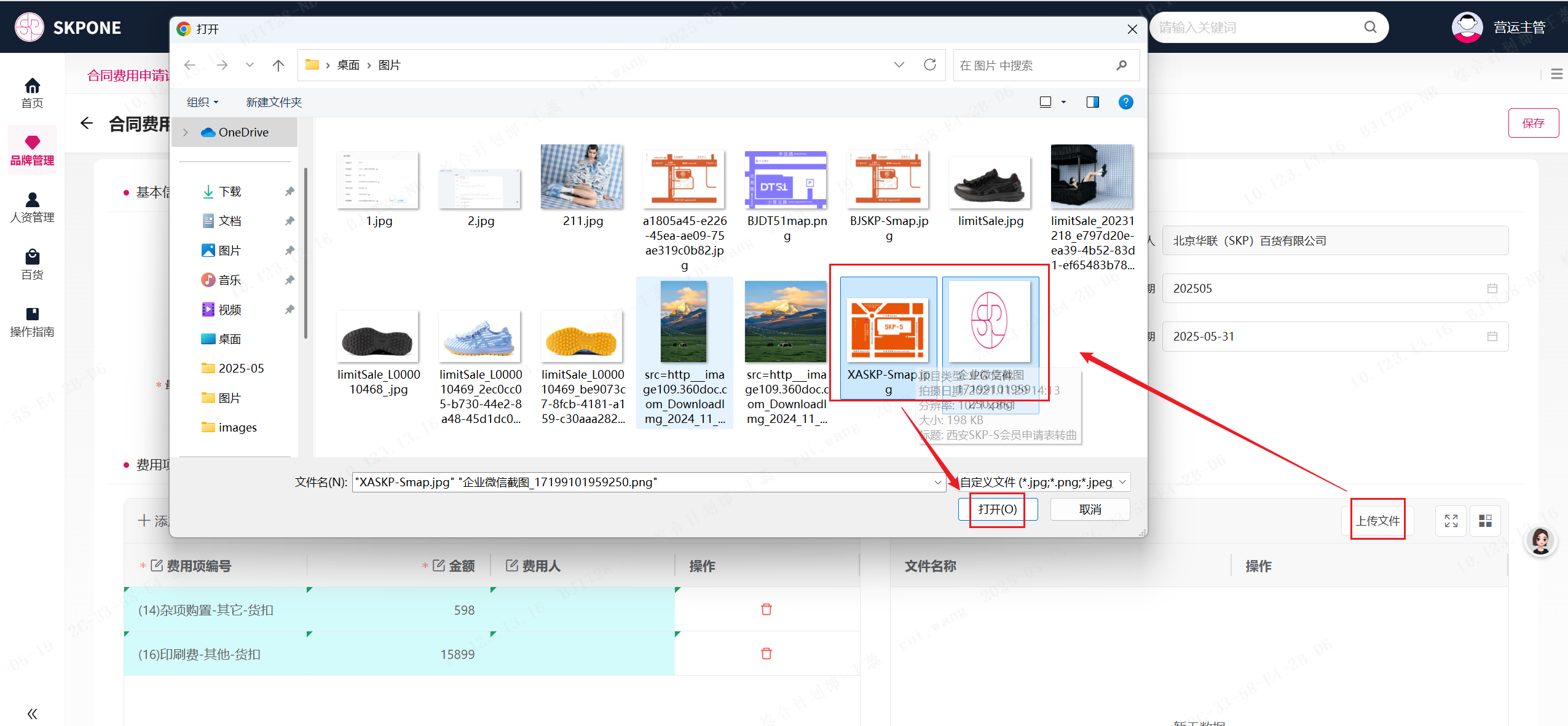
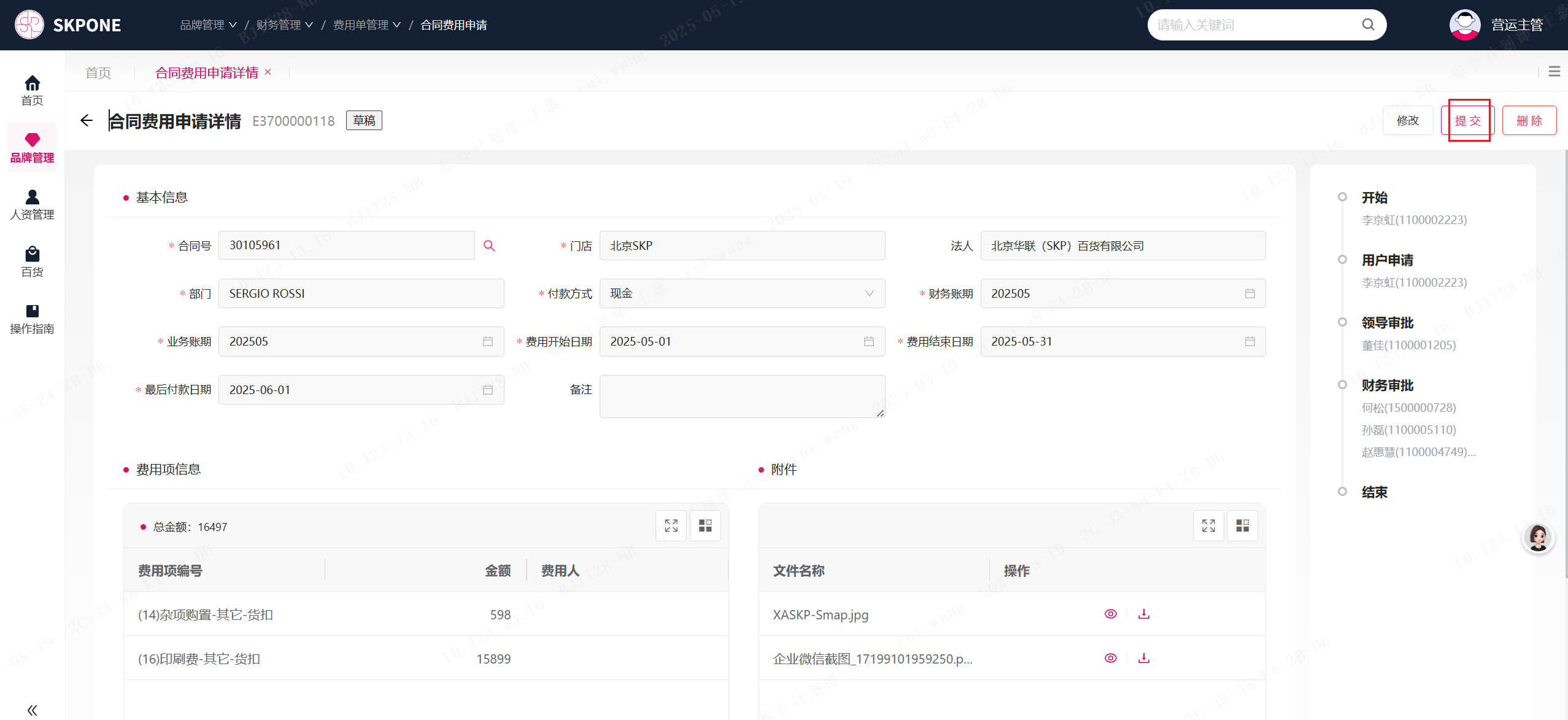
品牌管理财务管理合同费用申请On this page合同费用申请合同费用申请 操作步骤 1、品牌管理 → 财务管理 → 合同费用申请 2、点击“添加”按钮 3、点击“🔍”→ 选择合同点击“√”→ 点击“确认”按钮 4、录入基本信息 → 点击“选择”按钮 → 选择费用项(支持多选)→ 点击“确认”按钮 5、填写费用信息 → 点击“上传文件”按钮 6、选择图片 → 点击“打开”按钮 7、点击“提交”按钮